
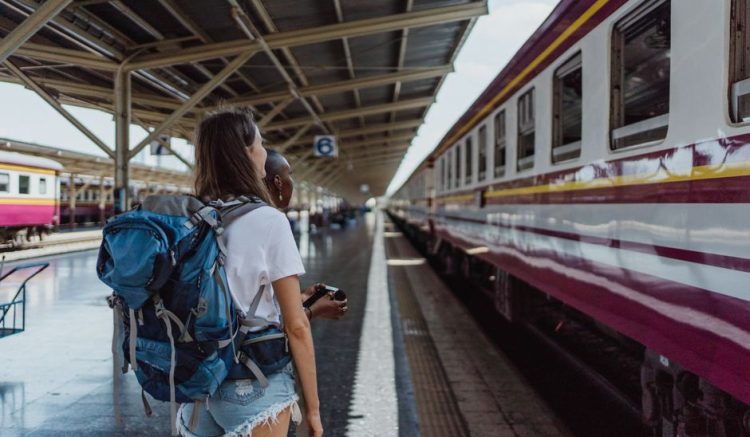
Three out of four solo travelers report feeling anxious about their safety at least once during a trip. That knot in your stomach when you land in a new city at midnight? It doesn’t have to stay there. These five apps solve specific problems — getting lost, running out of battery, not knowing local emergency numbers, and having no one track your route. No fluff. Just the tools that work.
What Makes a Safety App Actually Worth Installing?
Most travel safety apps sit unused on home screens. They collect dust because they demand too much setup or drain battery. The apps that matter solve one core problem: reducing the time between something going wrong and someone knowing about it. That’s it.
Three features separate useful apps from dead weight:
- Offline capability — You won’t always have data. An app that needs a signal to work is useless in a subway tunnel or remote trail.
- One-tap emergency trigger — Fumbling through menus when scared means the app fails. The best apps work with a single button press or a phone shake.
- Real-time location sharing — Not just a static pin. Your contact needs to see you moving.
Skip any app that asks for a subscription before you’ve used it once. Free tiers should cover the basics. You pay for premium features like 24/7 monitoring only after you know the app works for your travel style.
The Only Two Apps You Need for Emergency Help
Stop downloading five apps that all do the same thing. You need exactly two categories: one for contacting emergency services, and one for alerting your personal network.
TripWhistle Global — $4.99 one-time purchase
This app solves the single dumbest problem in travel safety: not knowing the local emergency number. 112 in Europe. 911 in the US. 110 in Japan. When panic hits, you don’t want to Google it.
TripWhistle covers 200+ countries. Open the app, select your location, and it shows the correct police, fire, and ambulance numbers with a tap-to-call button. It also sends your GPS coordinates in the text of the call. No data required after the initial download.
The one-time fee beats every subscription service. You pay once, it lives on your phone forever.
Noonlight — free with optional $4.99/month monitoring
Noonlight works differently. You hold your thumb on a button while walking. If you lift your thumb and don’t enter your PIN within 10 seconds, it sends your location to local emergency services. This solves the scenario where you can’t make a phone call.
The free version triggers alerts to your emergency contacts. The paid tier adds 24/7 professional monitoring. For solo hikers or late-night metro riders, the paid plan is worth the $5.
Tradeoff: Noonlight requires a data connection to trigger alerts. Don’t rely on it in areas with no cell service.
Real-Time Location Sharing That Doesn’t Drain Your Battery
Sharing your location sounds simple. Every messaging app does it. But most kill your battery in two hours or require your contact to have the same app. These two apps solve both problems.
Life360 — free with optional $7.99/month Platinum tier
Life360 is the gold standard for location sharing. It uses low-power GPS tracking that sips battery — roughly 8-10% per day on a modern phone. Your contact sees your location updated every 2-5 minutes, plus your phone’s battery level.
The free version covers unlimited circles (groups of people) and location history for 2 days. The paid tier adds crash detection, roadside assistance, and 30-day location history. For solo travelers, the free version is enough.
One trick: create a circle called “Trip 2026” and add your emergency contacts. They’ll see your location without you sending a manual update every time you move cities.
Google Maps Location Sharing — free, works across all phones
No separate app needed. Open Google Maps, tap your profile photo, select “Location sharing,” and choose a time limit. Your contact gets a link they can open on any phone — no account required on their end.
The battery drain is higher than Life360 (about 15-20% per day), but it’s already on every Android phone and most iPhones. Use it for short windows — a night out or a long hike — not for your entire trip.
Failure mode: Both apps fail if your phone dies. Carry a power bank. The Anker 325 Power Bank ($22, 10,000mAh) charges most phones 1.5 times and fits in a jacket pocket.
Your Phone Is the Weakest Link — Fix It With These Settings
Apps don’t matter if your phone is dead, lost, or stolen. Three settings changes make your phone a safety tool instead of a liability.
- Set up Medical ID on iPhone (Health app) or Emergency Info on Android (Settings > Safety & emergency). First responders can access your blood type, allergies, and emergency contacts without unlocking your phone. Do this before you leave home.
- Enable “Send Last Location” on iPhone (Settings > Privacy > Location Services > System Services). When your battery dies, the phone sends its last location to Apple. Android’s equivalent is “Emergency Location Service” under Location settings.
- Download offline Google Maps for your destination. Open Google Maps, tap your profile, select “Offline maps,” and download the region. This gives you turn-by-turn navigation with no data. A single city map takes about 200-400MB.
These settings take 5 minutes total. They work even if you never open a safety app.
When NOT to Rely on Safety Apps — and What to Use Instead
Safety apps create a false sense of security. They are not a substitute for situational awareness. Here’s when they fail completely:
- No cell service — Deep wilderness, subway tunnels, or foreign SIMs that don’t roam well. Apps that need data are dead weight here. Carry a personal locator beacon (PLB) like the Garmin inReach Mini 2 ($399) for backcountry trips. It uses satellite networks, not cell towers.
- Phone theft — A stolen phone means all your emergency contacts and location history are gone. Write down three emergency contact numbers on paper and keep them in your shoe or money belt. Memorize one number.
- Panic freezing — Under stress, people forget how to open apps. Practice the one-tap emergency trigger for your chosen app before you need it. Do it right now, not at the airport.
Compressed verdict: For 95% of solo travelers, TripWhistle Global ($4.99) + Life360 (free) + offline Google Maps covers every realistic emergency. Spend the saved money on a power bank and a paper backup of your emergency numbers.
Comparison Table — Pick Your Combo

| App | Price | Best For | Requires Data? | Battery Impact |
|---|---|---|---|---|
| TripWhistle Global | $4.99 one-time | Local emergency numbers | No | Minimal |
| Noonlight | Free / $4.99/month | One-tap SOS with monitoring | Yes | Low (background) |
| Life360 | Free / $7.99/month | Continuous location sharing | Yes | 8-10% per day |
| Google Maps Location Sharing | Free | Short-term sharing, no app install | Yes | 15-20% per day |
| Offline Google Maps | Free | Navigation without data | No | Minimal |